11/11/2026
·
7 min read
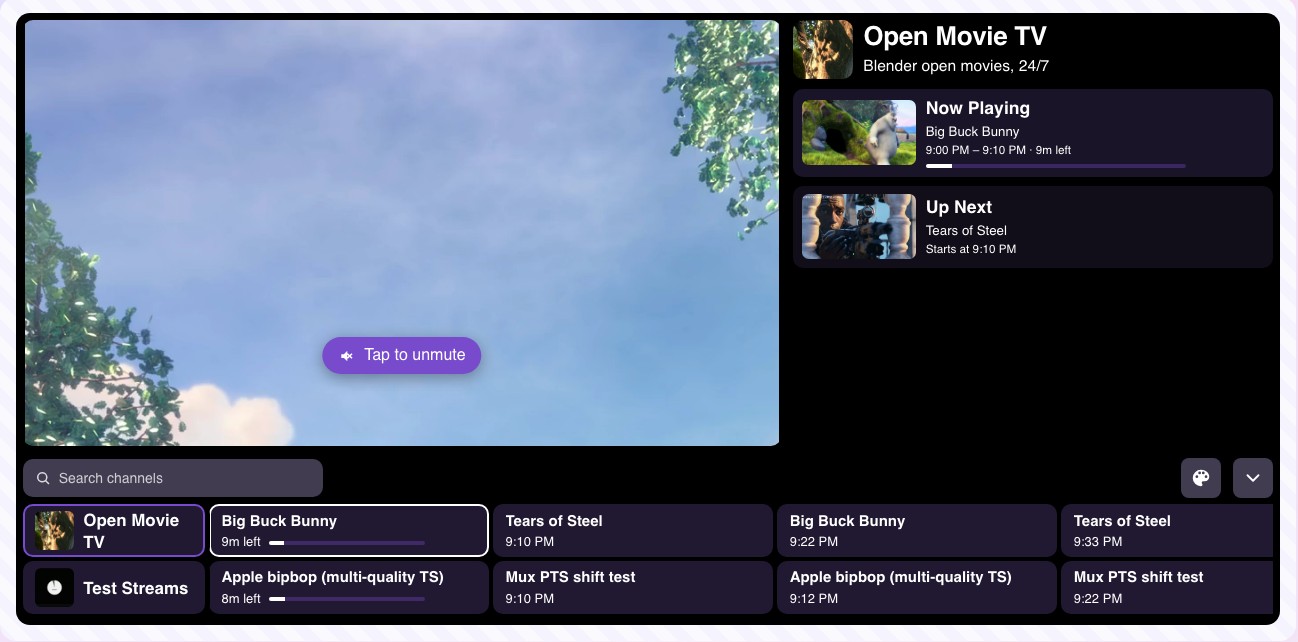
How TV channels decide what plays when: dayparts, program blocks, repeats, live slots and the TV guide. A practical broadcast scheduling guide for streaming channels, with a free tool to build your own 24/7 lineup.
A 24/7 channel has to put something on screen every minute of every day. That sounds like a lot of content, but the channels that do it well aren't simply larger libraries. They schedule smarter. This guide explains how broadcast scheduling works, and how to plan the lineup for your own streaming channel.
What broadcast scheduling is
Broadcast scheduling is deciding what plays on a channel and when, then publishing it as a TV guide so viewers know what's on. On cable and over-the-air TV it's handled by a scheduling (or "traffic") system feeding playout servers in the station. On a streaming channel, TV scheduling software does the same job in the browser: you arrange videos into a lineup, and the channel plays them at the right time for every viewer.
The tools differ, but the planning is the same. It comes down to five ideas.
1. Plan in dayparts
TV channels don't plan 24 hours at once. They split the day into dayparts, each with its own audience:
- Morning (6–10): short, light programs people dip in and out of.
- Daytime (10–17): longer shows for people at home, or a loop of your most popular content.
- Prime time (19–23): your strongest programs. This is when most people actually watch.
- Overnight: repeats and long-form content. Fewer viewers, so it's where filler belongs.
Decide what each daypart is for, and the hard question ("what do I play at 3 PM on a Tuesday?") gets much easier.
2. Build blocks, not single shows
A block is a group of similar programs that play back to back: "Saturday morning cartoons", "Sunday service", "Late-night jazz". Blocks keep viewers watching, because the next show is the kind of thing they tuned in for. They also make your schedule easier to remember and to promote.
A practical rule: once a block works, keep it at the same time every week. Viewers come back for "every night at 8", not for a random slot.
3. Use repeats on purpose
Every 24/7 channel repeats content, and that's fine. Viewers rarely watch more than an hour or two a day, so a show that airs at 9 PM and again at 9 AM reaches two different audiences. What hurts is a visible loop, where the same three videos come round every hour.
To avoid it:
- Aim for at least 10–20 hours of content before launch, more for a busy channel.
- Rotate the order day to day instead of looping one playlist.
- Add new programs weekly, even a few, and put them in prime time.
On Fluger, Auto Mode does the rotation for you: with 3 or more videos it generates the next day's schedule overnight, so the order changes from day to day without you rebuilding it.
4. Leave room for live
Live shows (services, matches, talk shows, premieres) bring the biggest audiences, because they happen once. Plan them as fixed live slots in your schedule, and keep the slot the same each week so viewers learn when to tune in.
In Fluger you book a live slot on the hour grid and stream into it from OBS or any RTMP encoder. During the slot viewers can switch from the schedule to the broadcast with one button, and the broadcast is recorded so you can air it again in a quieter daypart.
5. Publish the schedule as a TV guide
A schedule viewers can't see is only half done. The TV guide (EPG) shows what's on now and what's next. It turns "a stream of videos" into "a channel", and it's how people decide to stay.
Your guide should be:
- Automatic. It should come straight from the schedule, so it's never out of date.
- Everywhere viewers watch: on your channel page, in the player embedded on your website, and in your TV apps.
- In the viewer's time. A guide in the wrong time zone is worse than none. If you serve several regions, publish the channel per time zone.
Fluger builds the guide from your schedule automatically. You can also generate an HLS output of the channel per time zone, so partners in another region play it at local time.
A simple weekly routine
Scheduling isn't a one-off job. A routine that takes about 30 minutes a week:
- Check what held viewers last week and what lost them.
- Move the winners to prime time, and the weakest programs overnight or out.
- Add a few new programs and give them a good slot.
- Book next week's live slots.
- Promote one thing: "This Friday at 8: the season finale."
Try it on your own channel
You can plan a 24/7 schedule in your browser for free: up to 3 channels with Auto Mode and an automatic TV guide on Fluger's TV scheduling software. Running ads on the channel? See how a FAST channel works. New to all of this? Start with our guide on how to start your own TV channel.